Circle Crush at a glance
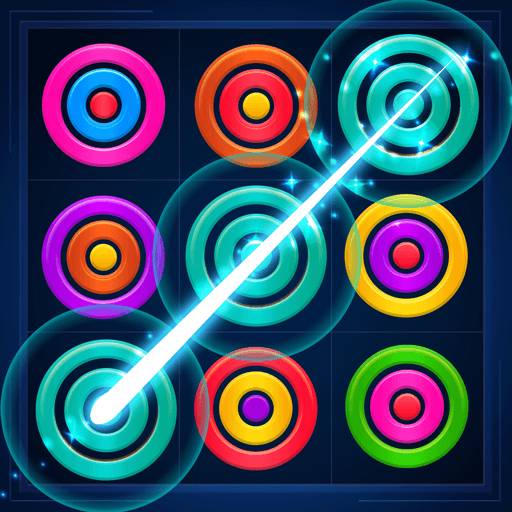
Drag the offered sets onto compatible board spaces and align matching colours to clear rings while keeping room for the next set.
Clear rings by arranging matching colours in the lines or ring combinations supported by the selected board mode.
How to play Circle Crush
- 01
Look at the colours and sizes in the offered ring set, then find a board position with compatible empty slots.
- 02
Drag the set onto that position and release to place it.
- 03
Build matching-colour lines and complete matching ring stacks where the current mode allows them; keep free positions for upcoming sets.
Controls & devices
- Computer
- Click and drag an offered ring set onto a compatible board position, then release.
- Phone or tablet
- Touch and drag a ring set onto the board, then lift your finger to place it.
Use an up-to-date browser. Device support varies by game; follow any screen-orientation instructions.
Tips for Circle Crush
Check every ring size in the offered set before placing it; a free centre does not mean the outer slots are also available.
- Keep at least one flexible board position for a set with several ring sizes.
- Look along rows, columns and diagonals before committing to a placement.
- Build toward a colour clear instead of placing each set in the first available space.
An offered set needs compatible empty ring slots. Avoid filling every option without creating a clear, and follow the selected mode's end-of-round prompt when no placement remains.
Circle Crush: questions & answers
What is the goal in Circle Crush?
Clear rings by arranging matching colours in the lines or ring combinations supported by the selected board mode.
What should I watch out for?
An offered set needs compatible empty ring slots. Avoid filling every option without creating a clear, and follow the selected mode's end-of-round prompt when no placement remains.
What happens when I press Play?
A full-window player connects to an independently hosted version of Circle Crush. Use Back to return to this guide. The provider page and game assets may take time to load.
Does saving a game save my progress?
Save game bookmarks this listing in your current browser. The provider handles game progress separately. Clearing browser data or using a private session can affect both features.
What if the game does not work?
Check the provider’s instructions, try one reload, or choose a related game. Browser and device compatibility vary. Report a problem with your device, browser and page URL.